
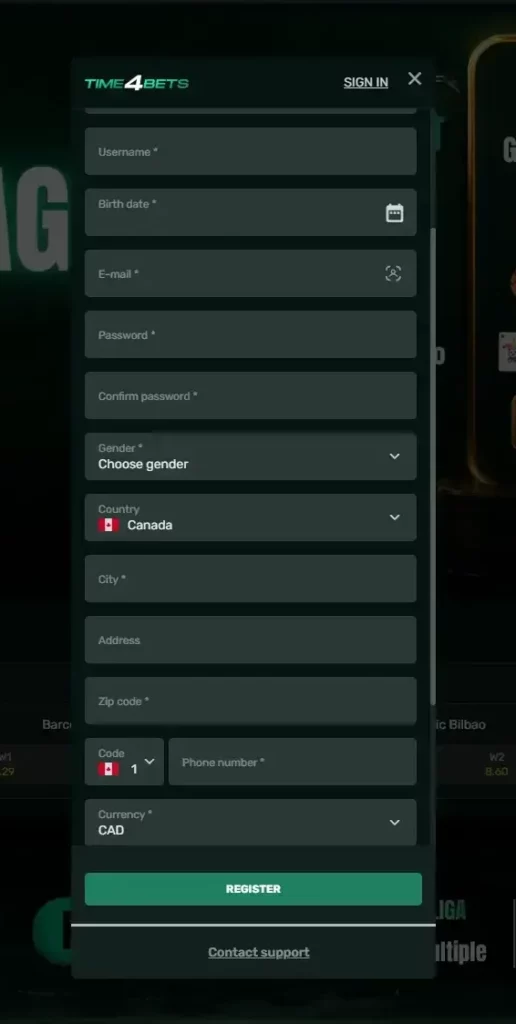
This guide follows registration in order. It covers preparation, the five-step form, currency and language choices, activation, everyday login, KYC, the first welcome selection and account protection. Canadian welcome figures are stated directly in CAD. Other limits may use the editorial rate of 1 USD = C$1.42, which does not prove native Canadian-dollar settlement or the same conversion from every payment provider.
Before You Start with Time4Bets
A few minutes of preparation prevents the most irritating registration problem: the one discovered during a payout. Use an email address you control, choose a password that is not used elsewhere and enter details that match official documents.
Have these items ready:
- A working email address.
- A current phone number when requested.
- Government-issued photo identification.
- Recent proof of address.
- A personal card, bank account or supported crypto wallet.
- The exact legal name and date of birth shown on the documents.
Canada is supported, while Brazil, the United States, Japan, Syria and Lebanon are listed as restricted countries. Local eligibility still needs to be checked separately.
The payment owner should match the verified profile. A card, bank account or wallet in another person’s name can trigger an ownership review and delay a payout.
Use one profile only. Do not create a second account after a forgotten password, activation problem or missing bonus. Recover the original access or contact 24/7 live chat.
Creating the Time4Bets Account in Five Steps
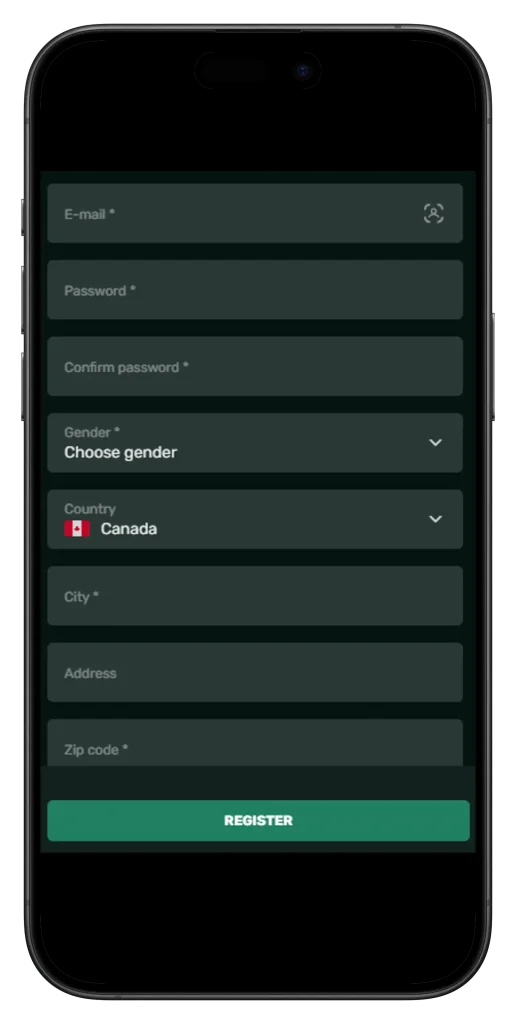
Registration starts on the official website or supported mobile route. The layout may change, so follow the fields shown on the current screen rather than an old screenshot.
- Open the registration form from the official Time4Bets page.
- Enter an accessible email address and choose the requested username.
- Create a long, unique password using more than one character type.
- Add the personal, country and contact details shown by the form, then review any currency and language selectors.
- Read the Terms of Use and Privacy Policy, confirm the age requirement and submit the form.
The personal information should match later KYC files. A false birth date, shortened surname or temporary address may allow the form to submit but create a larger verification problem.
A promo code is not confirmed as necessary for the Canadian welcome programme. The player selects an available Slots, Blackjack or Sports route through the platform.
The phrase Time4bet register may appear in search results, but the form itself should stay on the official Time4Bets site. A familiar logo or similar colour scheme does not verify a copied page.
Keep the chosen username and registered email in a secure record. Either may be used for login depending on the current interface.
Picking CAD and Your Interface Language
The Canadian welcome offer uses fixed C$ amounts, but a native Canadian-dollar account should only be claimed when the live form displays that option. If a currency selector appears, review it before confirming the profile.
Currency can affect how balances and cashier limits are presented. A later change may be restricted, so it should not be assumed that support can switch the account freely after funding.
The interface supports English, French, Arabic, Russian, German and Turkish. Language and account currency are separate settings. Changing the menu language does not convert the balance.
English and French will suit many Canadian users, while the cashier label remains the practical reference for money. A bank, card issuer or wallet may still apply its own exchange rate or fee.
The keyword Time4bets register is an SEO variation and says nothing about the currencies available to a particular account.
Activating the Time4Bets Account
After the form is submitted, Time4Bets may show an email or phone confirmation step. When an activation email is sent, open the official message and follow the displayed link.
If it does not arrive, check the spam folder, confirm the spelling of the address and use the resend option where available. Open the newest message rather than an older link, and contact live chat if repeated attempts fail.
An SMS code should be entered only when the live form requests one. Check the country code before asking for another message.
Confirmed contact details support password recovery, payment notices and account-specific communication. The birthday promotion also depends on the registered phone number for eligible users.
Keep access to the registered email. Never send a password or two-factor authentication code to anyone claiming to be support.
Signing In Day to Day
Every day, access uses the registered email address or username together with the password. When optional two-factor authentication is enabled, enter the current code as the second step.
Use the same profile credentials on desktop and mobile. A separate mobile account is not required.
Common login failures are ordinary: a typing error, the wrong keyboard layout, outdated autofill data, an unfinished contact confirmation, an expired two-factor code or a browser-session problem.
Use Forgot Password when the password is no longer known. Enter the linked email, open the recovery message and create a new password while the link remains active. No fixed delivery or expiry time should be invented.
A time4bets login problem involving a blocked or compromised profile needs support, not repeated guesses. Secure the linked email, change reused passwords and contact 24/7 live chat for an ownership review.
The phrase Time4bet login does not identify a genuine page by itself. Open the login screen from the official platform.
What to Do Right After Registering at Time4Bets
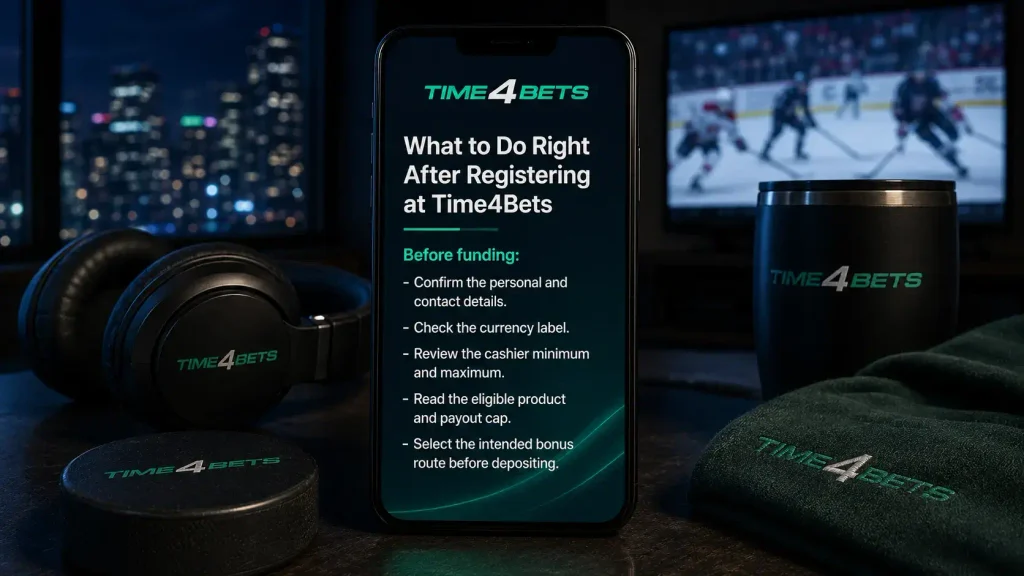
Do not rush straight to Deposit. Check the profile, enable optional two-factor authentication and complete every KYC request shown in the account. Verification may involve a photo ID, proof of address and payment-ownership evidence.
Before funding:
- Confirm the personal and contact details.
- Check the currency label.
- Review the cashier minimum and maximum.
- Read the eligible product and payout cap.
- Select the intended bonus route before depositing.
The Canadian welcome package covers the first three qualifying deposits. At each stage, choose Pragmatic Play Slots, CreedRoomz Blackjack or Sports. Only one category can be selected per deposit.
Slots apply to eligible Pragmatic Play titles. Blackjack is tied to eligible CreedRoomz live Blackjack. Sports is used in the sportsbook. Blackjack and Sports require verification at all three stages.
The Canadian summary does not publish wagering multipliers, Sports-ticket rules, expiry or free-spin conversion conditions. Check the live terms instead of importing international x35, x15, x10, x5 or x2 requirements.
Each welcome stage has a C$2,500 maximum payout. The Canadian C$500-and-spins package is current and should not be described as obsolete.
Protecting a New Time4Bets Account
Account security is routine, which is why it is easy to postpone. Use a unique password, protect the linked email with another password and enable optional two-factor authentication before storing a meaningful balance.
Supported card transactions use 3D Secure, while payment-data handling follows PCI DSS requirements. These controls protect the payment channel but do not replace KYC or careful login habits.
Avoid these shortcuts:
- Saving credentials on a shared phone or computer.
- Opening login links from unexpected messages.
- Sending a password, full card number or authentication code to support.
- Installing an unrelated mobile package that copies the brand.
- Changing personal details until the form accepts them.
- Creating a duplicate account to solve a login problem.
For iPhone and iPad, the confirmed installation route uses TestFlight from the App Store. Android users can use the responsive website and add a home-screen shortcut where supported. An unknown file labelled Time4Bets APK should not be treated as official.
If unfamiliar activity appears, secure the email account, change the Time4Bets password and contact live chat. Review transaction history as well.
Time4Bets FAQ for New Accounts
How long does registration take?
The form itself usually takes a few minutes when the email, password and personal details are ready. Contact confirmation and KYC are separate steps.
Can I register from a phone?
Yes. Use the supported mobile website. iPhone users can also access Time4Bets through the confirmed TestFlight route after registration.
Is a promo code required for the welcome package?
No promo code is confirmed as necessary. Review the bonus area and select Slots, Blackjack or Sports before the qualifying deposit.
What is the Canadian first-deposit bonus?
Each category provides 100% up to C$500 from a C$20 minimum deposit, with a C$2,500 maximum payout.
Does the full package include 400 free spins?
Yes. It includes 100 spins after the first qualifying deposit and 150 after both the second and third.
Is KYC mandatory?
Yes. Verification confirms identity, age and payment ownership. It is required for payouts and for verification-dependent bonus routes.
Can I choose a Canadian-dollar account?
Use the currency options displayed by the live form. Canadian bonus amounts do not guarantee native C$ settlement for every account.
What should I do if the activation email does not arrive?
Check spam, confirm the address and use the resend option. Contact live chat if the newest message still does not appear.
What should I do after forgetting the password?
Use Forgot Password and follow the recovery message sent to the registered email. Do not open a duplicate account.
Gambling involves financial risk. Set a budget before depositing, do not borrow to play and never chase losses. Stop when gambling no longer feels recreational, and check the minimum age and online-gambling rules in your Canadian province or territory.